Free · Apple Silicon · macOS 13+
Twelve providers, from S3 and Backblaze B2 to Google Drive and Dropbox, show up in Finder's sidebar like a local drive. Files download when you open them and upload when you save.
No accounts. No drivers or macFUSE. Updates itself.
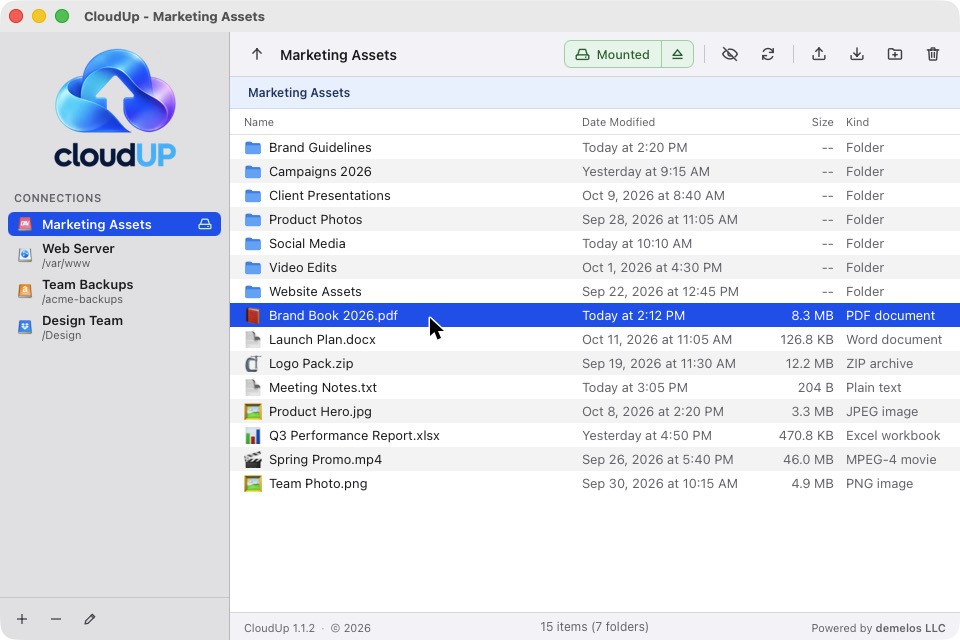
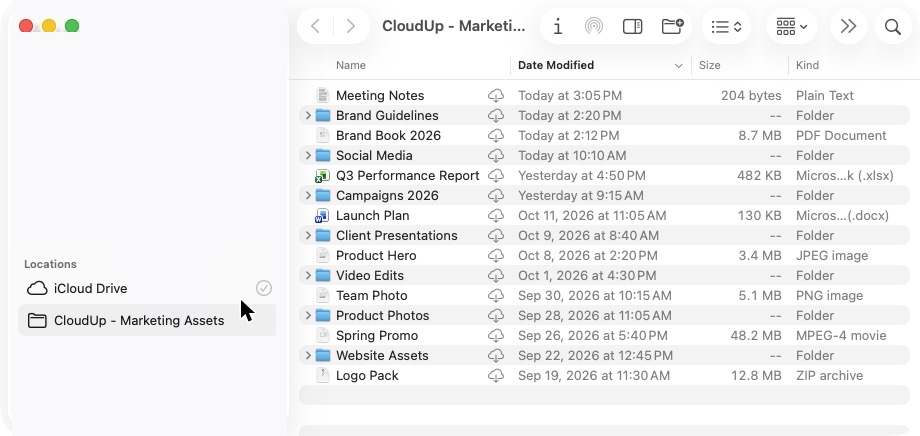
Each connection appears in Finder's sidebar under Locations, like iCloud Drive. Files show a cloud icon and download when you open them; saves upload automatically.
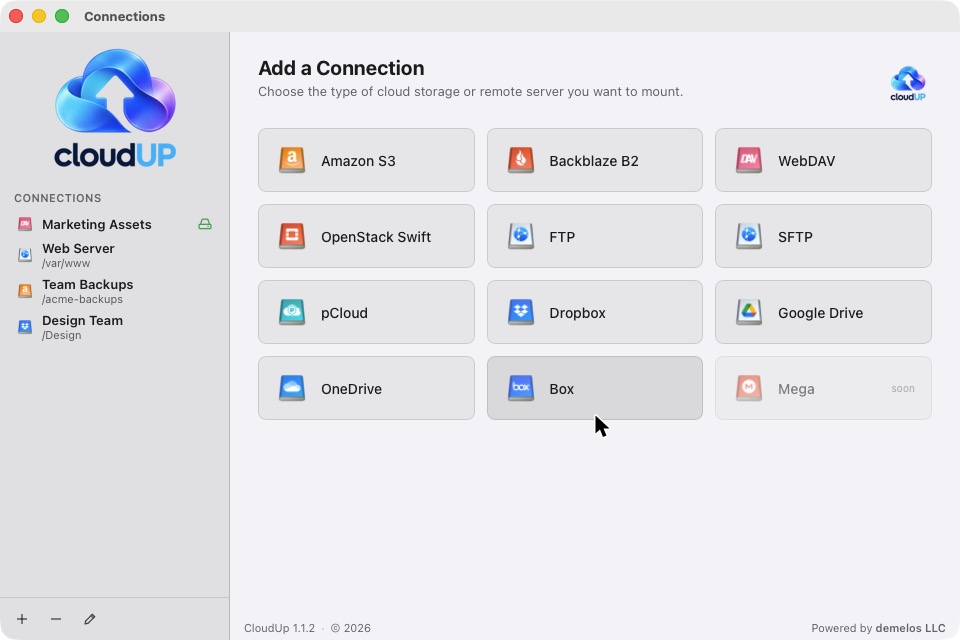
S3, Backblaze B2, WebDAV, OpenStack, FTP, SFTP, pCloud, Dropbox, Google Drive, OneDrive, Box and MEGA — all through one connection manager.
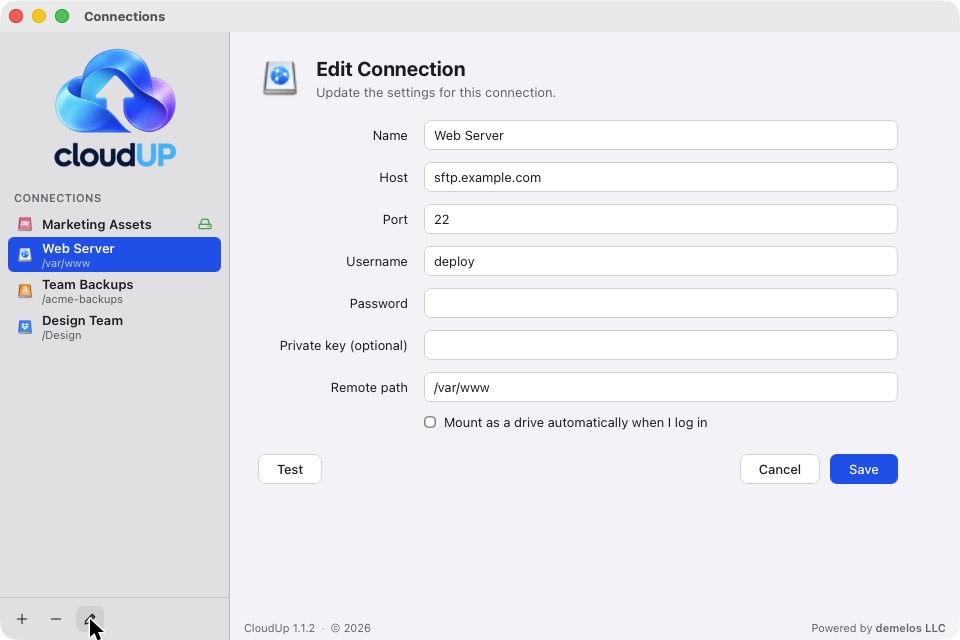
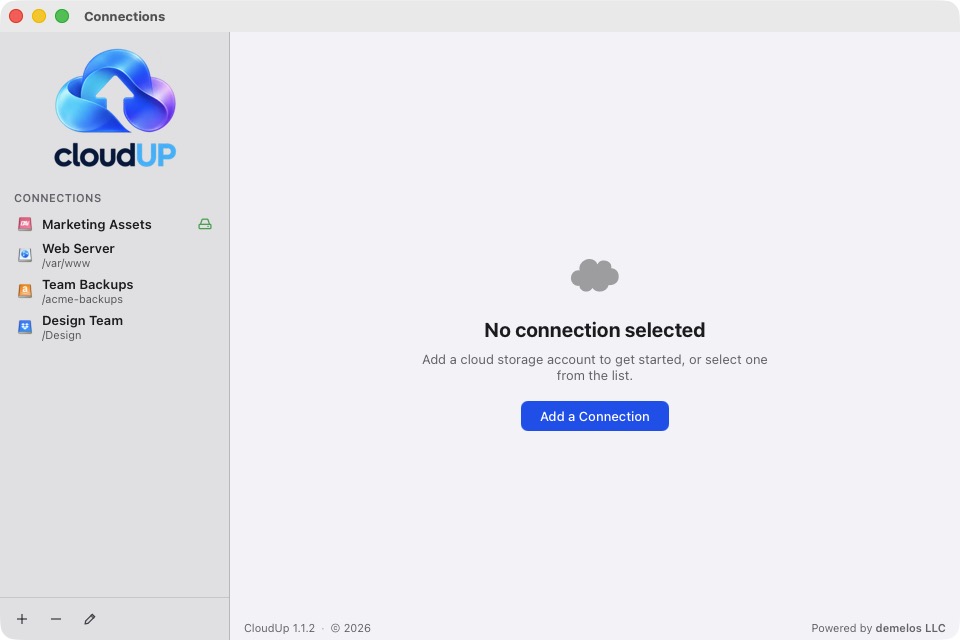
Save connections with secure credentials (macOS Keychain), test them in one click, mount on demand — or automatically when you log in.
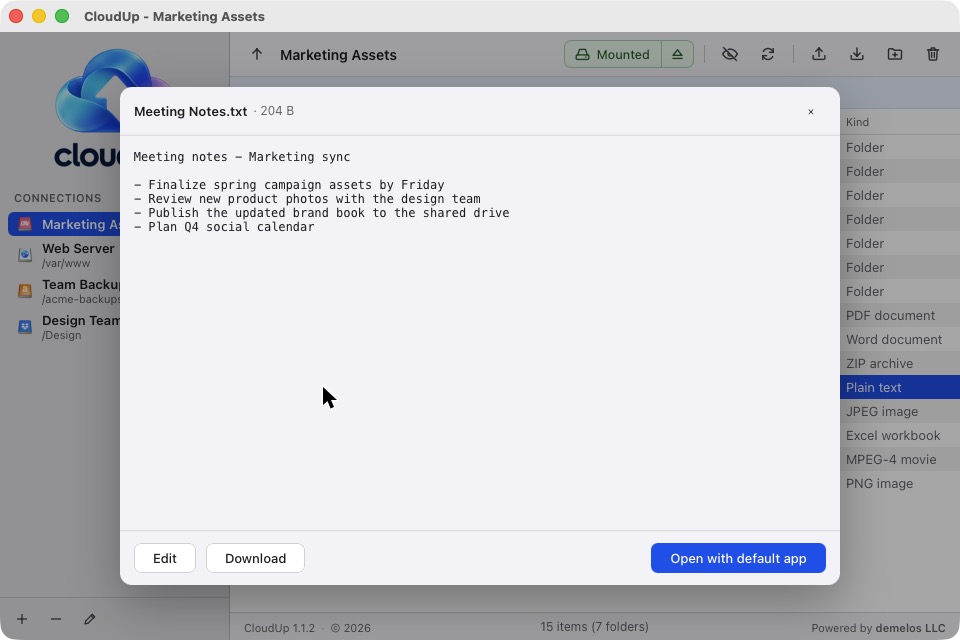
Drop files and folders from Finder into CloudUp to upload them; drag anything out to your Desktop to download. Browse, preview and edit text files in the built-in browser.
CloudUp checks for new versions on launch and downloads, installs and relaunches the latest build for you.
No accounts, no cloud middleman. Your credentials never leave the Mac except to talk directly to your storage.
S3, B2, WebDAV, OpenStack, FTP and SFTP are fully functional. OAuth providers (Dropbox, Google Drive, OneDrive, Box, pCloud) connect in one click. MEGA is experimental.
Grab the free DMG above (macOS, Apple Silicon). Drag CloudUp into Applications. Not yet notarized by Apple — on first launch, right-click the app and choose Open.
Pick a provider, paste your endpoint and credentials, and click Test. Credentials are stored in the macOS Keychain.
Click Mount — the connection appears in Finder's sidebar under Locations (the first time, click Enable in Finder). Open files, edit them, and changes save straight back to the cloud.
| OS | macOS 13 Ventura or newer, Apple Silicon (arm64) |
|---|---|
| Drivers | None — no macFUSE or system extensions to install |
| Memory | 4 GB recommended |
| Price | Free |